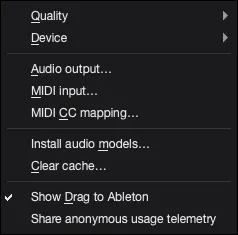
Cache
Before clearing cache, save or export anything you need. If an Ableton set uses an AutoSamplr rack, use File > Collect All and Save in Ableton before clearing cache.
What Cache Holds
Section titled “What Cache Holds”- Cache holds temporary run files that AutoSamplr may reuse while you work.
- Clearing cache should not remove settings, license state, or installed audio models.
Clear Cache
Section titled “Clear Cache”Clear cache from Settings > Clear cache when old runs are taking space.